Device Management Platform

particle One particle Two particle Three particle Four particle Five

LINKWORX

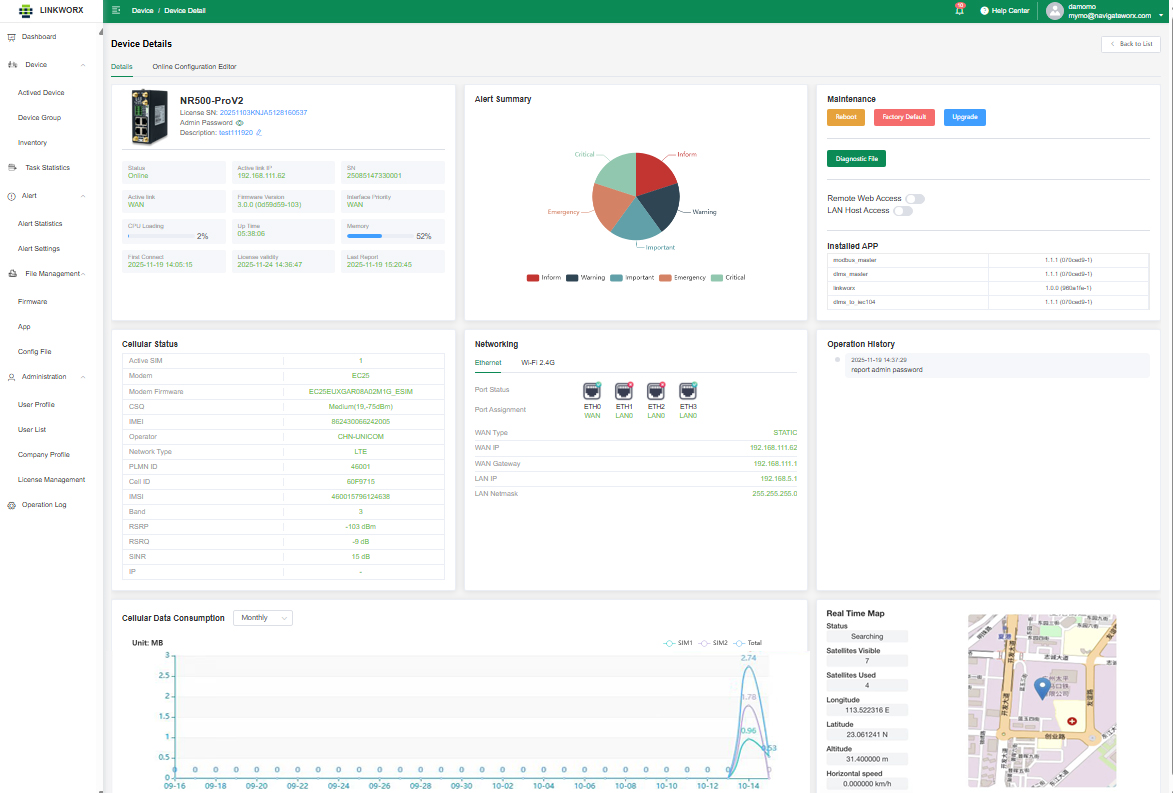
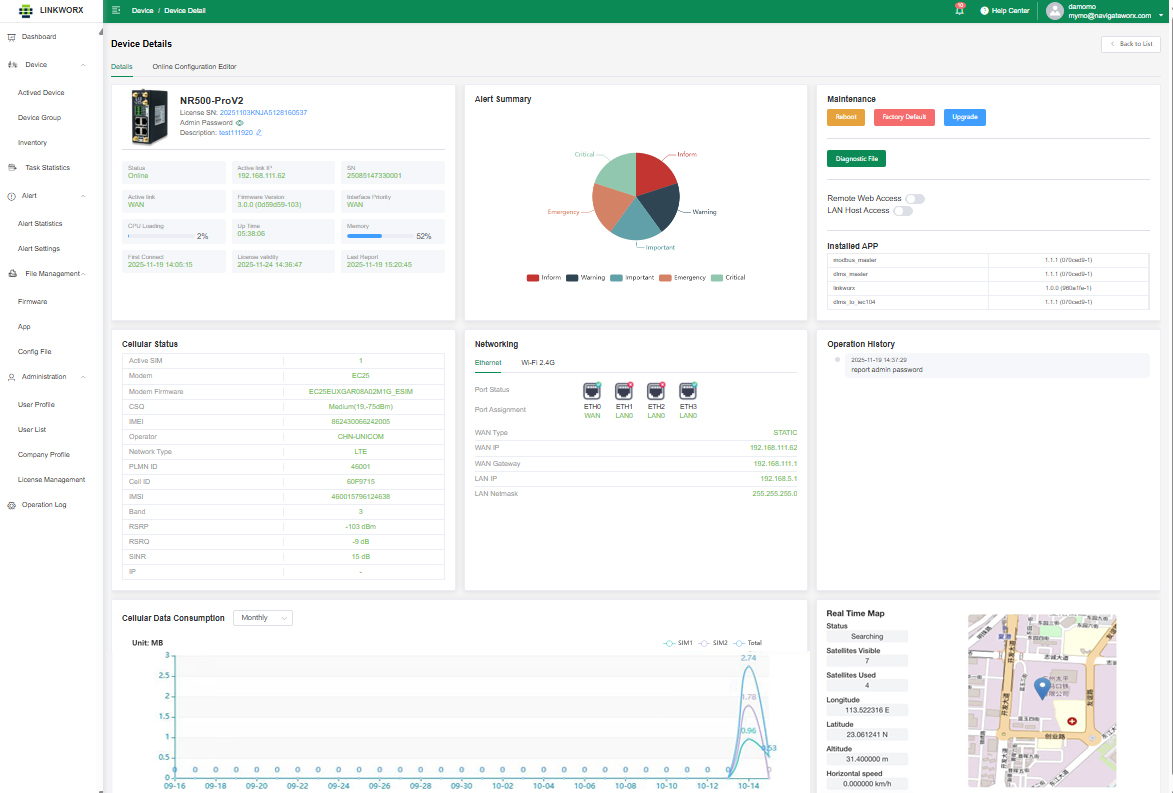
The Navigateworx Self-Developed Device Management Platform enables centralized and unified management of devices and data. Its functions include monitoring running status, configuring parameters, performing mass firmware upgrades, and managing users.
r7922-屏幕截图 2025-11-19 171150.png        

Cloud-based Deployment

The Navigateworx Device Management Platform is a 

cloud software-as-a-service (SaaS) solution that allows 

customers to manage their devices in the cloud. 

It offers comprehensive management features for 

routers, including device statistics, monitoring 

and maintenance.


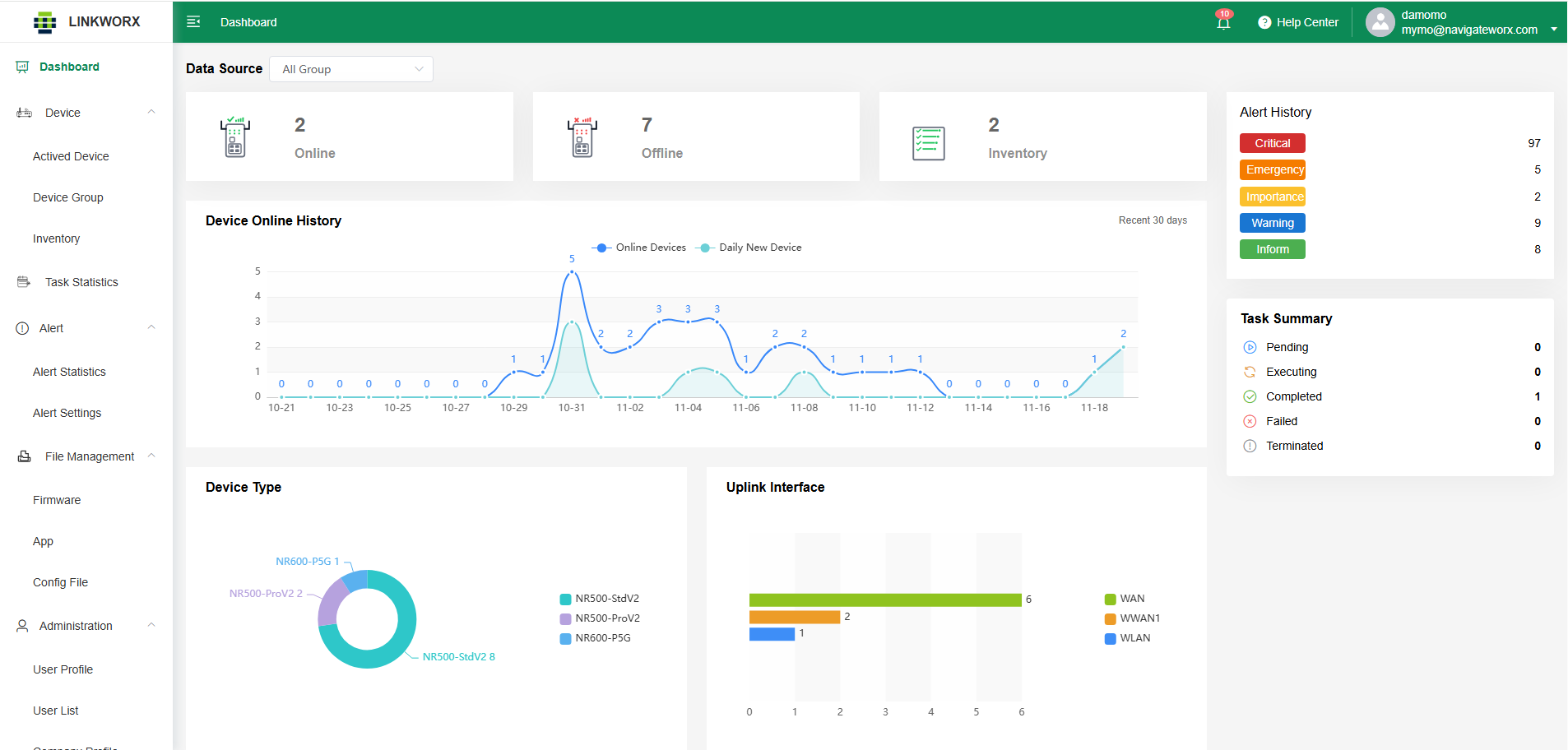
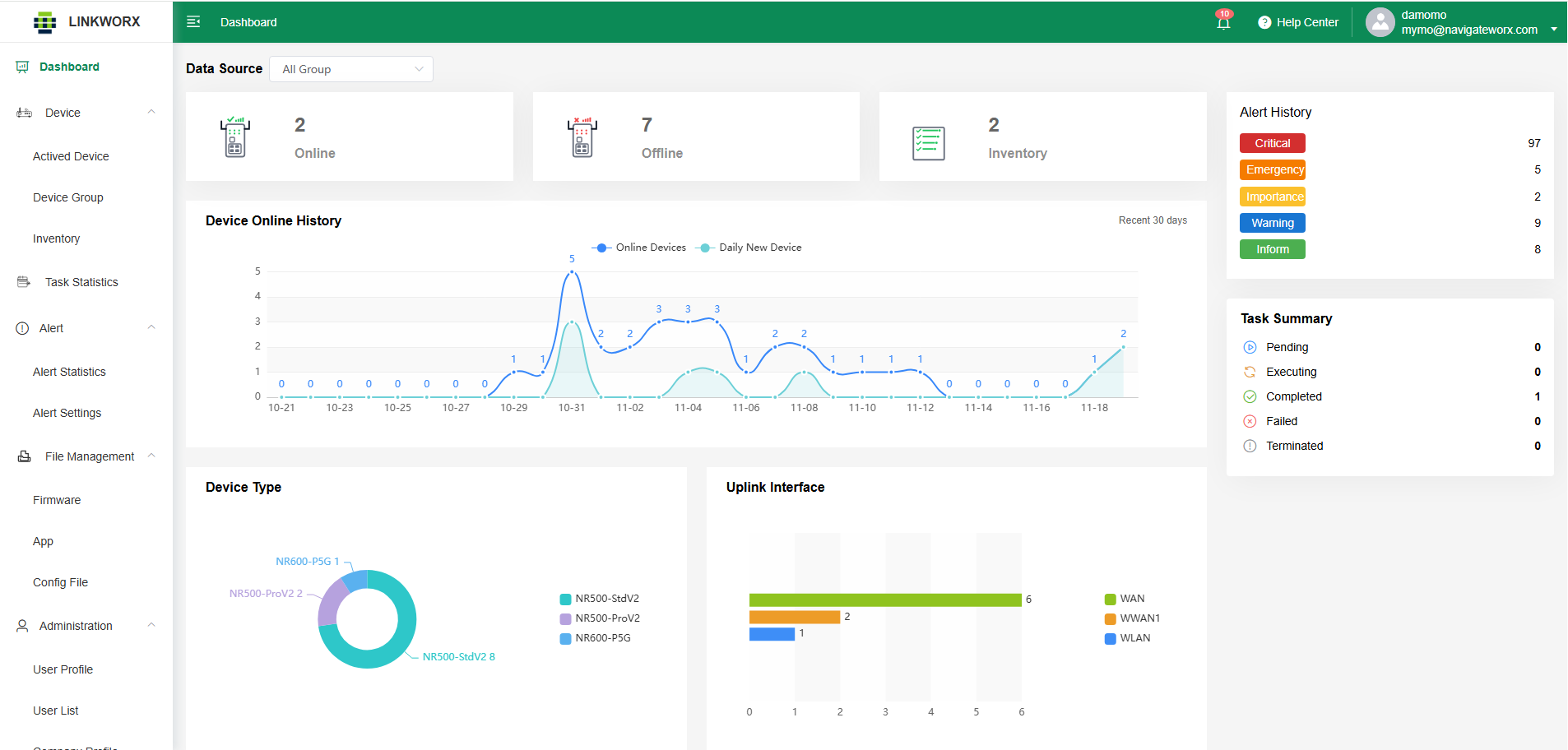
Data Visualization

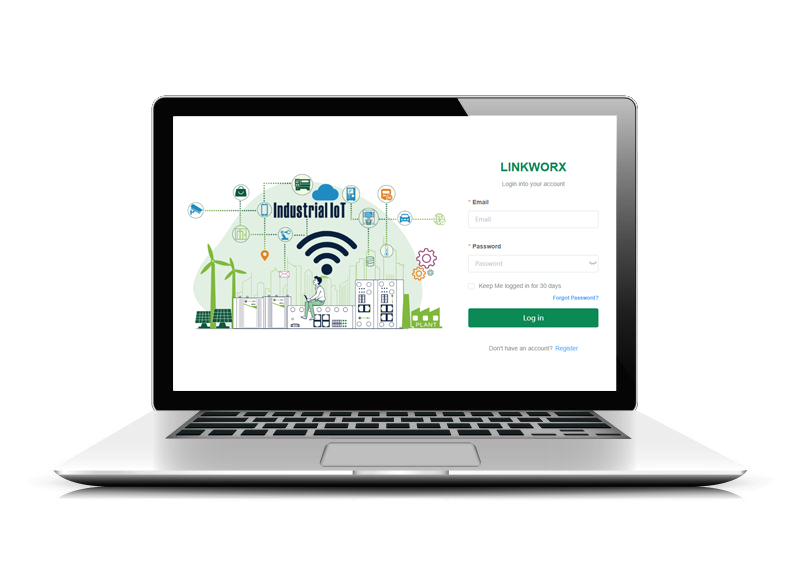
LinkWorx is designed to help industrial teams manage devices 

at scale through a centralized, cloud-based platform. 

From the moment a device is deployed, it can be securely 

registered using a unique serial number and brought 

under unified management. No matter where devices are 

located — factories, substations, remote sites, or mobile 

installations — they are all visible in one place.


 j8580-2025-11-19 153035.jpg


w6884-屏幕截图 2025-11-19 171211.png    

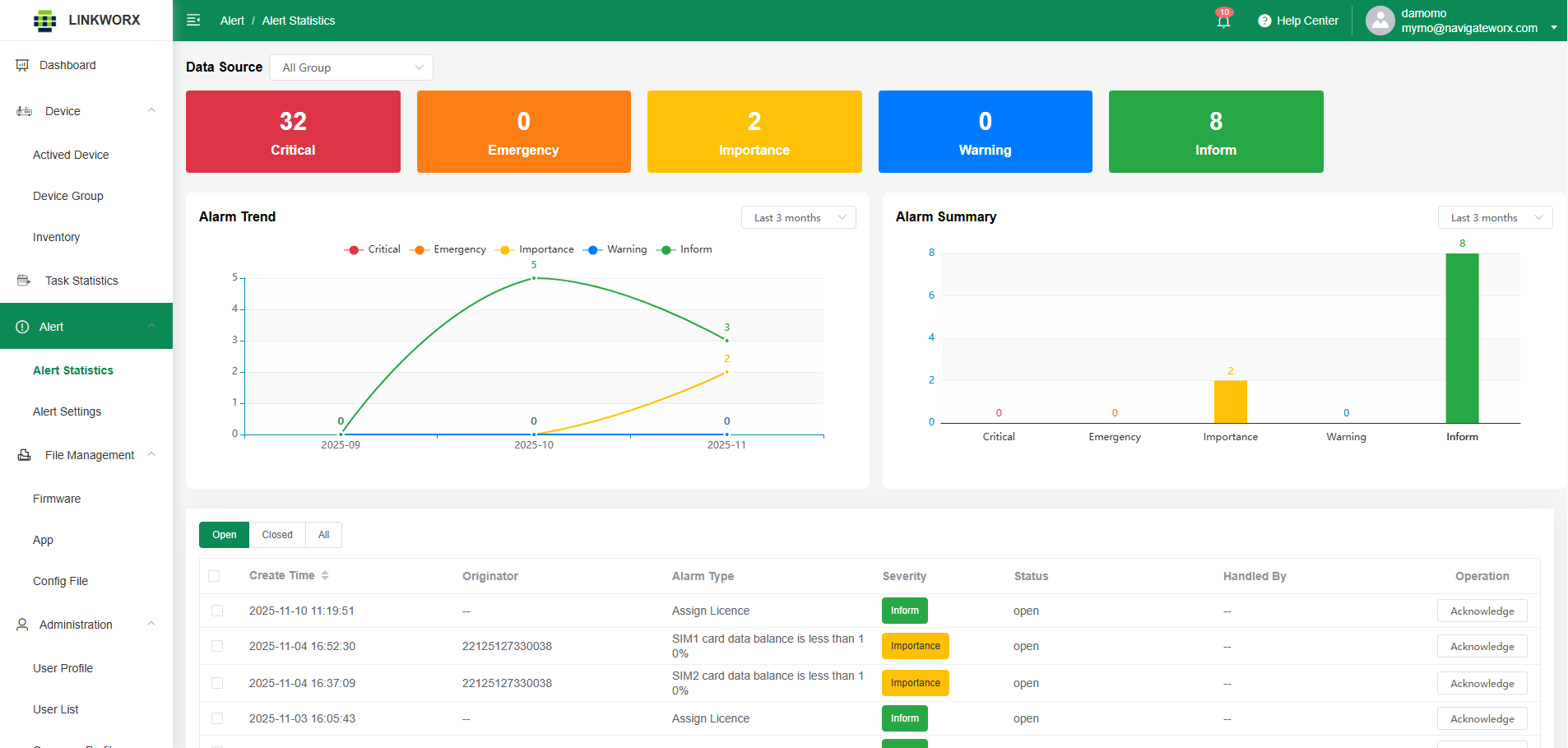
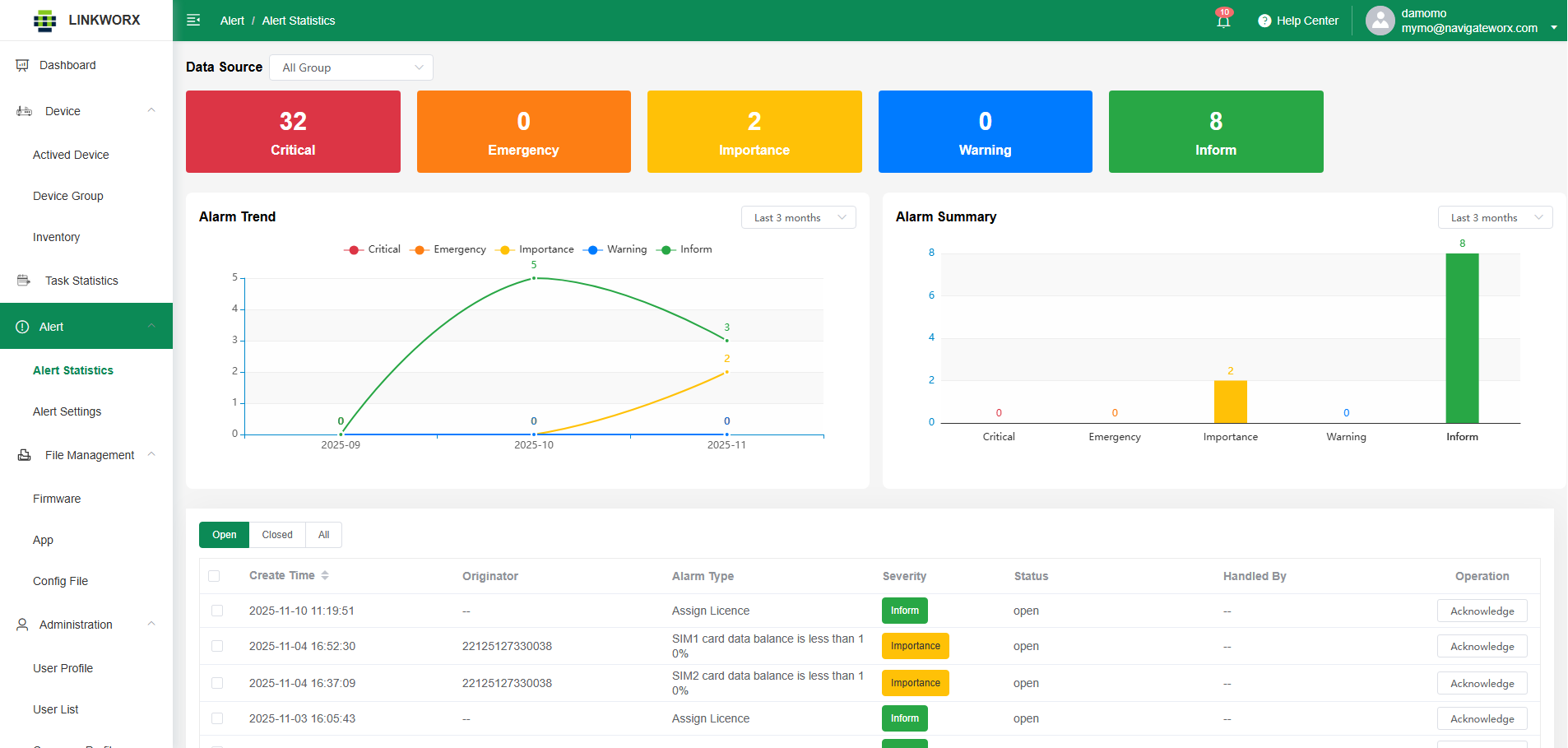
Alert & Real-Time Device Monitoring

Real-time device status monitoring further enhances visibility. 

Operators can instantly see whether devices are online or 

offline, identify abnormal behavior, and prioritize actions based 

on actual conditions in the field. Instead of reacting to problems 

after failures occur, teams gain the insight needed to act proactively.


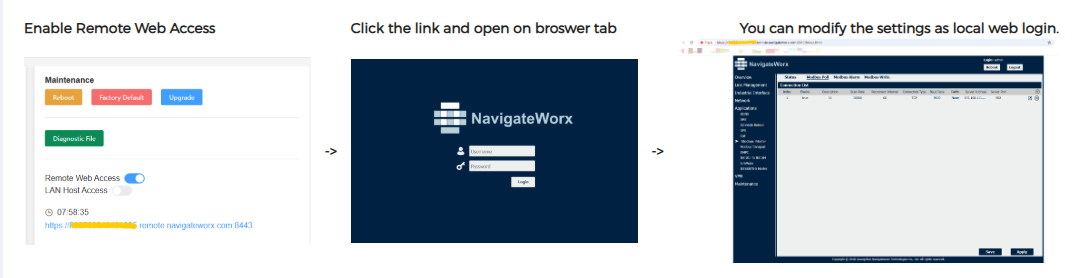
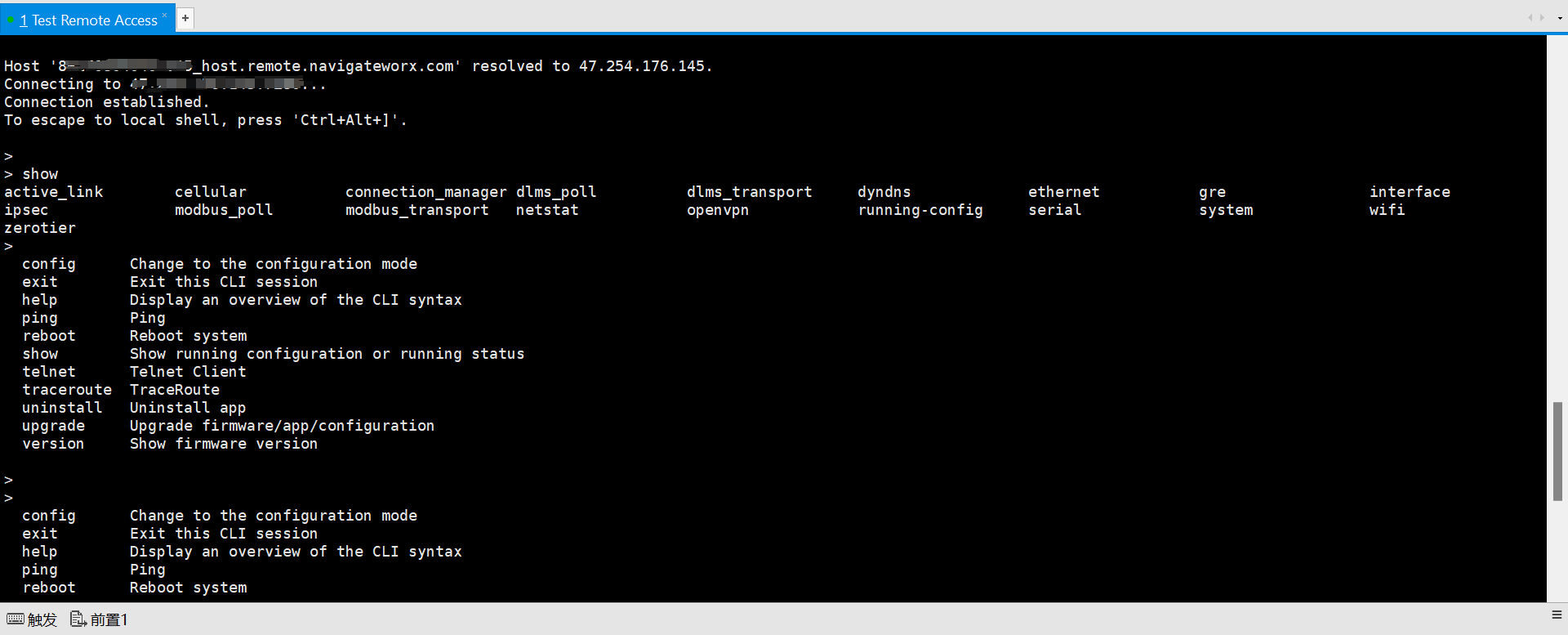
Remote Access & Maintenance

LinkWorx enables secure remote access to industrial device, 

allowing engineers to log in, diagnose issues, and perform 

maintenance without onsite visits. By providing real-time 

visibility and encrypted remote connections, teams can 

resolve problems faster, reduce downtime, and significantly 

lower operational costs. Remote maintenance ensures safer 

operations while keeping distributed industrial assets 

always under control.


j7980-333.png

w6370-remote10.png


Documentation